Turn Any Blog Post Into a Viral X Thread Automatically — Threadify Tutorial
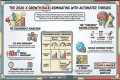
Organic reach on X isn't dead — it just changed formats. Under Elon Musk, the platform deliberately shifted its algorithm to reward dwell time, meaning content that keeps people reading gets pushed to massive audiences for free. A single tweet disappears from the timeline in minutes. Format that same information as a threaded post and you get 54% more engagement, 10x the reach, and weeks of continued algorithmic circulation. This video breaks down exactly why that works, and shows you the complete step-by-step workflow to make it happen automatically — without writing a single word of new content.
The source material for this breakdown comes from a recent Geek Out Fridays webinar hosted by digital marketer Damon Nelson, where he walks through the full system live. We cover the data, the strategy, the tool, and the real-world case studies — including one account that went from 150 to 3,600 followers and hit 2 million organic impressions in 30 days with zero paid spend.
To run this workflow you need four things: a Threadify account, a target blog post URL, your connected X API keys, and a balance of Masher Credits. Masher Credits are the utility tokens that power the Masher platform and process your content jobs. You can manage your balance and learn more at MasherCredits.com. Threadify itself is part of the growing suite of single-purpose tools available at MasherTools.com, built to eliminate the manual grind from content creation and distribution.
The setup is a one-time process inside the Threadify settings dashboard. You'll connect the software to your X account using four credentials from your X developer portal — your API key, API key secret, access token, and access token secret. Once saved, the connection is permanent and Threadify can publish directly to your timeline on your behalf. API misconfiguration is the most common reason this workflow breaks, so follow the step-by-step documentation inside the dashboard carefully.
With your account connected, you pull in your source content. A structured blog post from WordPress or Medium works perfectly. Listicles and numbered step articles give the AI the cleanest data to work with. You paste the URL into the scrape field, set your author name for brand authority, choose a voice style like educational or conversational, set the output length to medium or long to maximize dwell time, and select a visual style that triggers the system to auto-generate custom infographics. Hit Generate Thread and the AI rebuilds your article into a native X thread — complete with a scroll-stopping hook, auto-numbered steps, infographics placed every three to four posts, and a closing call-to-action that drives readers back to your original article or sales page.
Review the output, confirm the hook lands, the steps are numbered correctly, the images are placed, and the backlink in the final post is intact. Then hit Post to X. The content goes live instantly and the algorithm takes over, pushing your thread into niche-relevant feeds of people who don't follow you yet — for free.
We close on the question that matters most right now. When AI can generate structurally perfect content for everyone in your niche, the technical barrier to great-looking content has dropped to zero. Which means the only thing left that actually differentiates your thread is your taste, your perspective, and the quality of the source material you choose to feed the machine. You are no longer the laborer. You are the executive chef planning the menu.
Start by auditing your existing evergreen blog content, identify your strongest articles, and schedule one to two threads per week using this workflow. You already have the library. Threadify just turns it into reach.